
Clipboards and dead zones
An Inspection Checklist App Has to Work in the Crawl Space
The crawl space has no signal. The form on your phone does not care, and spins. An inspection app is judged in that moment and in one other: the day a customer disputes the record 14 months later, and you have to prove what you saw.
November 18, 2026 · 11 min read
- 09:02 template v7 loaded: 62 items, offline ready
- 09:41 signal lost at crawl space, saving on device
- 10:18 item 31 failed: flue connection, 2 photos attached
- 10:55 customer signed, record locked
- 11:09 signal back: 84 of 84 photos uploaded
- 11:10 PDF report sent, draft repair estimate created
The short answer
An inspection checklist app for a small business has three hard jobs: saving work with no signal, attaching each photo to the right checklist item, and keeping a signed record unchanged. Try a form builder or field service plan first. Custom makes sense when your checklists or report format are unusual. Web apps start at $575 and native apps at $3,750.
On this page
- The clipboard's record is better than you think
- What to try first: paper, a form builder or a field plan
- Each photo needs a home, a time and a smaller file
- Offline is a promise, so find out who keeps it
- The signature is easy. Keeping the record unchanged is the work.
- One inspection, from the truck to the customer's inbox
- Who should stay with the clipboard, and who should call
The clipboard's record is better than you think
A clipboard has virtues software rarely matches. It starts instantly. It works upside down in an attic. Rain is its only known bug. If you inspect a few things a week and your customers are happy with a scanned sheet, you may not have a problem that needs fixing. Say so to anyone trying to sell you a platform, and enjoy the pause.
Paper fails later, and elsewhere. The photos live on the phone, the sheet lives in the truck, and matching them takes an evening at the kitchen table. Handwriting gets argued about. The report goes out two days late, which is the moment the customer calls someone else. Then the sheet is lost, and a question arrives about what you noted on a particular day. Those are the problems to solve, and they point to three things an app must do. They are also the structure of this page: photos, offline, signatures. Almost everything else is decoration.
- Photos that know where they belong. Each one attached to a checklist item, not dumped in a camera roll.
- Offline that really works. The whole inspection saves on the phone, then syncs later, and the app is honest about what has not gone up yet.
- A signed record nobody can quietly change. Including you, and especially you.
- A report the customer can read. Finished before you leave the driveway, or at least by dinner.
What to try first: paper, a form builder or a field plan
| Cost | Fits | Test this before paying | |
|---|---|---|---|
| Paper and a scanner app | Nearly free | A few inspections a week, simple sheets | How long matching photos to sheets really takes you |
| Jotform | Starter $0: 5 active forms, 100 monthly submissions, 10 signed documents a month. Bronze is $39 a month | Low volume with standard layouts | Whether it saves with no signal. The pricing page we read did not address offline use, so try it in your own dead zone |
| Housecall Pro Essentials | $149 a month billed annually, $189 list, 5 users | Service shops that also need scheduling and invoices; lists checklist automations and photo reports with annotations | Whether its checklist can hold your actual report format |
| A custom web app | From $575, depending on complexity | A format you must control, with a signal most of the time | How offline behaves on the phones you actually carry |
| A custom iPhone or Android app | From $3,750, plus store fees | Long inspections in dead zones with many photos | Everything, on the worst phone you own |
The specialized inspection platforms are worth a look too, especially if your trade has one built for its forms. We did not verify their current prices, so we are not quoting them. Whatever you pick, run a real inspection at a real site with airplane mode on, then turn the signal back on in the truck and see what arrives. Ten minutes of that beats any demo with a salesperson on a good connection. If you rent a field platform already, the field service page explains what to check on your plan.
Each photo needs a home, a time and a smaller file
Say a solo home inspector in Spokane, invented for this example, who takes 80 photos at a house. In the phone's camera roll, those are 80 small mysteries. Inside the app, each one belongs to "Water heater: flue connection," with a note and the time it was taken. Matching those up is the job the owner is paying to stop doing at night. So the camera opens from inside the checklist item, never the other way around.
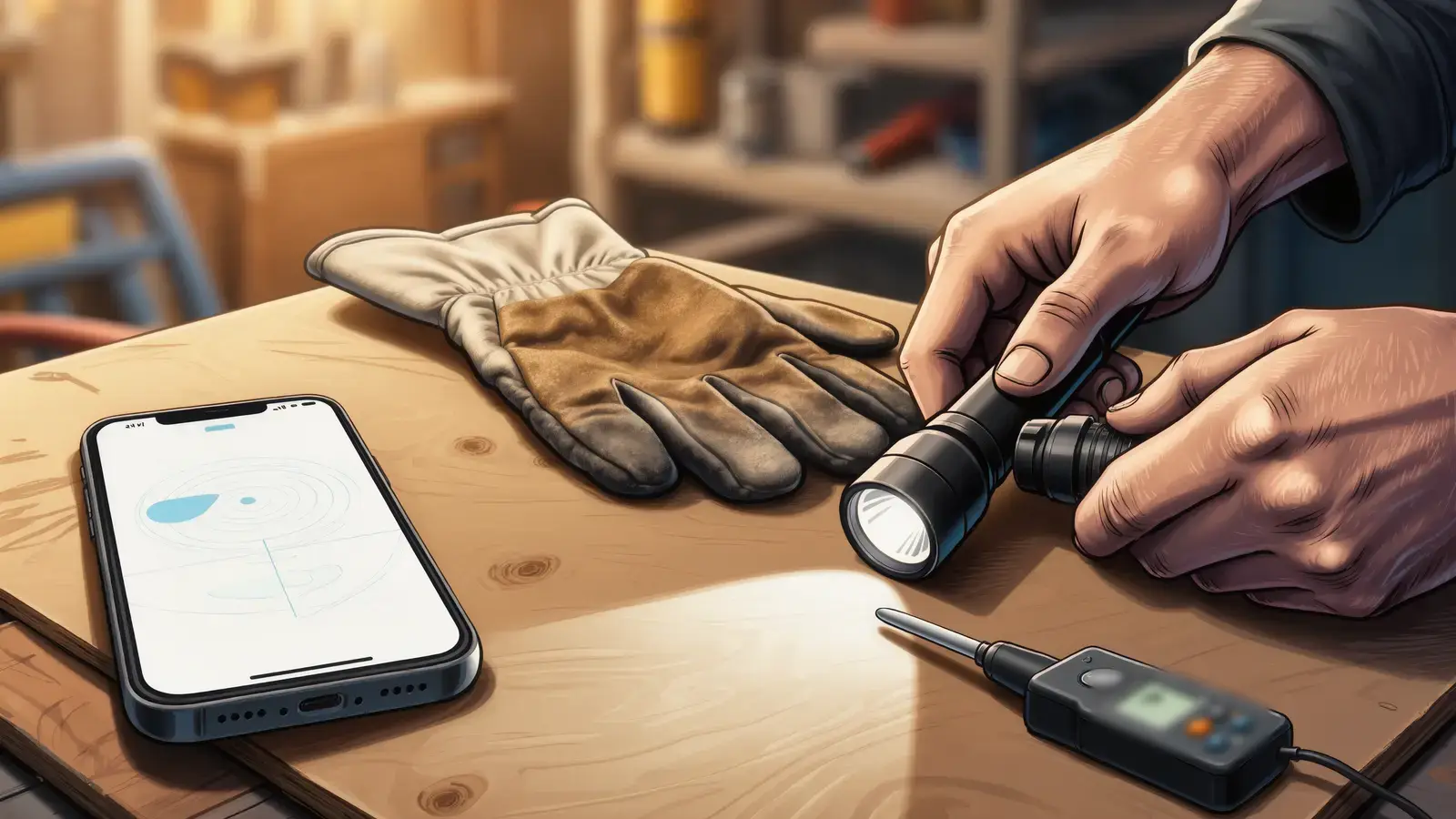
A few details decide whether this feels like an upgrade. Shrink the images on the phone before uploading, or 80 full-size photos will sit in a queue over a weak connection while you drive to the next job. Keep the original if your trade could need it, since storage costs less than a lost dispute. Let the inspector mark up a photo with an arrow or circle, and save that as a copy, leaving the original untouched. Record the time from the device, and say on the report that this is what you recorded. A timestamp is useful evidence of your process. It is not a magic stamp of truth, and only your attorney can tell you how much weight it carries.
Keep your phone's limits in mind too. Filling a storage-strapped phone with job photos is a real way to lose the morning. The app should say how much is waiting and clear out what has safely uploaded, because no inspector wants to manage files from inside a crawl space.
Offline is a promise, so find out who keeps it
Every vendor says "works offline." Ask what that means. A web app can do real offline work. MDN says, read November 6, 2026, that offline operation is enabled by adding a service worker, and that a web app can then function well even if connectivity is intermittent. But the same page says browsers limit the number of retries and how long background sync operations can take, and that requests can only be made while the app is open.
The second limit is storage. WebKit's August 10, 2023 post on storage policy describes automatic eviction, in which data can be deleted when quotas are exceeded, when the system is under storage pressure, or when a site has gone unused for some time. Origins can ask for persistence, a Home Screen web app counts in that decision, but by default "their persistence is not guaranteed." A morning's unsynced photos sitting in browser storage are therefore exposed in a way that a native app's files generally are not.
An inspection you cannot prove is just an opinion with a truck.
This is one of the few subjects in our section where a native app has an honest, practical advantage. If you work in long dead zones and lose real money if a record vanishes, the higher price of a native build can be justified. If you mostly have signal and only lose it for a few minutes, a web app with an obvious sync screen is likely enough. Either way, the app must show one plain number: how many items have not uploaded. And it should refuse to let you mark the job finished without warning you. Spinners are not a status report.
The signature is easy. Keeping the record unchanged is the work.
A finger on glass takes an afternoon to build. Standing behind it takes design. The federal E-SIGN Act, 15 U.S.C. 7001, as published by Cornell Legal Information Institute and read November 6, 2026, says a signature or record may not be denied legal effect solely because it is electronic. It has limits. Consumer disclosures and consent can apply, and a record may be denied effect if it cannot be retained and accurately reproduced for later reference. We are not lawyers, so have your own attorney confirm what your trade, your state and your contracts require before you rely on a screen signature.
Lock on signing
Once signed, the inspection becomes read-only. Corrections are added as a dated note, with the original still visible. If you can silently edit the past, your record is worth little.
Freeze the template version
You will change your checklist next year. Last year's report must still show last year's questions, so each inspection keeps the version it was started on.
A PDF goes to the customer
A copy they can keep means two copies of the record exist, and nobody has to log into anything to find it in three years. It also meets people where they are: in their email.
Keep the who and when
Who signed, the name they typed, the time, and the device. Decide how long you keep records, with your attorney or insurer, and make sure you can export them.
One inspection, from the truck to the customer's inbox
- 1
Pick the job in the truck
Today's list shows the address and the right template, already downloaded. Nothing needs to load inside the house. This is the moment the app has to do its fetching.
- 2
Walk the checklist
Big buttons: pass, fail, not applicable, note. Gloves on. The next item appears automatically, and failed items require a photo so the report never says "see me."
- 3
Sign before leaving
The customer signs on the phone, or the inspector signs alone and the customer receives a link. Agree in advance which of those your work needs.
- 4
Sync at the first signal
A screen shows what remains, with no guessing. If anything fails, it says so and keeps the local copy until the server confirms receipt.
- 5
The report goes out
A PDF, sent automatically or after the owner's review. If follow-up work is due, a draft estimate comes from the failed items, which is where this app can earn its money.
The data behind those steps is ordinary: templates and their versions, inspections, item results, photos, signatures, a sync queue and an access log. The owner's upkeep is ordinary too: changing a question, adding a trade, reading what went wrong. Treat this as our honest scope and argue with it. An app for your own staff also has ways onto phones that skip the public store, and a template-built version has trouble under Apple's guideline 4.2.6, read November 6, 2026, unless the content provider submits it directly. Nobody can promise App Store approval.
Who should stay with the clipboard, and who should call
Stay on paper or a rented form when
- You inspect only a few times a week and no one disputes the results
- A required form exists, and a scan of it satisfies the person reading it
- A form builder or your field platform passed your airplane mode test
- Nobody will maintain the templates after launch
A custom build may be justified when
- You lose evenings to matching photos and retyping reports
- Your report format is part of what customers pay for
- Failed items should turn into estimates without retyping
- You have tested the rented options, and you can say how they failed
Before you spend, run your own hours through the automation savings calculator: reports per week, minutes per report, what that time is worth. If it is small, stop and be glad. If it is large, our published prices stand: web apps from $575, depending on complexity, and apps from $3,750, with app financing at 0%, 25% down, up to 12 months. Read about starting small on an app first. DataCram is a web studio in San Antonio working with businesses across the US, and the rest of this section is written for people who do the work themselves. Reach a person at (210) 346-0848.
Questions owner-operators ask
It can, if it is designed to. Native apps store work on the device. Web apps can work offline through a service worker, per MDN, but browsers limit background sync, and WebKit says browser-stored data can be evicted by default under certain conditions. Test any candidate in airplane mode at a real site. It must also show exactly what has not uploaded.
The federal E-SIGN Act says a signature or record may not be denied legal effect solely because it is electronic, but it has conditions, including consumer consent rules in some cases and being able to retain and reproduce the record. State rules and your licensing board may add more. We are not lawyers, so ask your own attorney before relying on it.
Start with a form builder. As of November 2026, Jotform's Starter plan is $0, with 5 active forms, 100 monthly submissions and 10 signed documents a month. If you already use a field service platform, check your plan: Housecall Pro lists checklist automations and photo reports starting at Essentials. Test offline behavior and report quality before you consider paying for a custom build.
Mostly it depends on signal. If you usually have a connection and take modest numbers of photos, a web app, from $575 depending on complexity, is easier to change and needs no store. Long dead zones and heavy photo work are the honest case for native, from $3,750 depending on scope, because unsynced data is safer when stored in an app.
Attach each photo to its checklist item, keep the original untouched, save any markup as a copy and record the time and who took it. Send the customer a dated PDF, so two copies exist. None of that guarantees a result in a dispute. Ask your attorney or insurer what your trade's records should contain and how long to keep them.
Yes, if the failed items are tied to your price list. A failed item can draft a line on an estimate, which the owner reviews before anything goes out. This link between inspection and quote is often the strongest financial reason to build. Without it, you are mostly paying to replace a clipboard, and a form builder may do that for free.
Keep reading
- Two stores, one budgetMobile App Development for Small Business: iPhone, Android or a Web App FirstiPhone and Android apps for a small business: web app from $575, native from $3,750, Google Play and Apple fees as of 2026, and what to build first.
- Two ways to fail, comparedNative iOS App or Web App: A Decision Table for a Business With No IT DepartmentNative iOS app vs web app for a small business: a decision table with real costs, what iPhones let web apps do, push rules, and when native pays off.
- Getting paid from a driveway$29.30 on a $1,000 Invoice: Pick an Estimate and Invoicing AppFees on a $1,000 invoice, what QuickBooks, Wave and field platforms cost, and the narrow case for a custom estimate and invoicing app for a contractor.
- One owner, one phoneWeb Design for One-Person Businesses: What You Need and What to RefuseWebsite design for one-person businesses: the short page list, what to refuse to pay for, and fixed prices from $1,500, or when a builder plan is better.
- The build sideSmall Business Website Development: Who Holds the Keys When the Builder LeavesWebsite development for independent contractors: who owns the code, domain and accounts, what custom means at $1,500, and what you must maintain yourself.
- Probably not. Sometimes yes.iOS App Development for Small Businesses: When an iPhone App Earns Its KeepWhen an iPhone app makes sense for a very small company, what from $3,750 buys, Apple's fees and rules as of 2026, and what to try before you build.
- Everything in MicrobusinessSee the section
From the Insights desk
- Rank First, Get Half: How to Create an Effective SEO Strategy for 2027With an AI Overview on the page, the top Google result draws about half the clicks. Here is how to build an SEO strategy for 2027 that still pays, in five plain steps and a 90-day start.
- GEO, AEO, LLMO: Mostly SEO With a New InvoiceThree acronyms arrive with the confidence of a new discipline and the pricing of one. Some of it is real. Most is SEO renamed — because retrieval still runs on an index of the web. How to tell which line items are which.
Tell us where the paperwork falls apart
Send us your checklist and describe where you lose time or signal. A person at DataCram replies and says whether a form tool, your current software or a custom build fits.
Which of these sounds like you? (pick any)
Rather talk now? Call (210) 346-0848.