WordPress web design · Spring Branch, TX · Hill Country
WordPress web design in Spring Branch that loads first
Most WordPress sites we see in Spring Branch work fine, in the way a truck with a slipping clutch works fine. The pages load eventually, the plugins update when someone remembers, and the customer on a phone has already called the next result. We fix the ones worth fixing, and we move the rest of the river cabins and vacation rentals we work with to Next.js, where a page arrives finished.
Fixed price · 0% financing with 25% down · reply within hours
The Spring Branch Speed Swap
See your current home page rebuilt in Next.js and timed against the original, before you sign anything.
- A free Next.js mockup of your current Spring Branch home page, built from your real content
- A side-by-side speed test of the two pages on the same phone and the same connection
- A URL map of every page on your site, so your rankings carry over to the new build
- Three months of hosting and upkeep included from launch
For Spring Branch businesses with an existing WordPress site, on any build quoted this quarter. The mockup and the URL map are yours to keep whether or not you go ahead.
WordPress web design in Spring Branch, specifically
Hill Country businesses often run on a season: the river outfitter, the wedding venue, the winery whose tasting room fills on Saturdays. The WordPress site gets attention in spring, then sits unpatched until something breaks in the middle of peak weekend. Cell coverage on the back roads is thin, and a builder page that loads fine on the office Wi-Fi stalls on one bar outside town. A pre-built Next.js page holds up on a weak signal, and an editor with plain fields for hours, events and rates lets the owner update it from the truck.
In Spring Branch, the businesses we build for are mostly river cabins and vacation rentals, well, septic, and fencing, event venues and contractors and land clearing. Each of those has customers who search before they call, and each is losing some of them to whoever answers the search better. A WordPress site carrying a page builder and twenty plugins is slow to load and slower to change. Rebuilt on Next.js with an editor made for the business, it answers in a blink and stays that way.
Nearby, the same program runs in Canyon Lake, Bulverde, Timberwood Park, Garden Ridge and more, and the Spring Branch area page covers everything we do there.
WordPress in Spring Branch
What Spring Branch businesses are running, and why it matters here
Spring Branch is unincorporated Comal County along US-281 north of Bulverde, where the highway crosses the Guadalupe River, with Guadalupe River State Park off SH 46 to the west and Canyon Lake to the east.
Spring Branch businesses with a website often have an old WordPress install: a contractor template, or a rental site with a calendar plugin, built years ago on cheap hosting. On rural signal those pages crawl, and when an update fails nobody notices until a customer mentions the site is down. A pre-built site serves quickly and does not need someone babysitting plugin updates on a ranch schedule.
The honest fork
Stay on WordPress, or move to Next.js?
Stay on WordPress when
- The blog is the business. You publish several posts a week, and WordPress was built for exactly that.
- The budget is a few thousand dollars and the site mostly needs to exist. A clean theme on decent hosting will do the job.
- Someone on your team knows WordPress well and likes it. That knowledge is worth money, and leaving it behind costs some.
- One plugin runs something the business depends on, such as a membership system or a booking engine with no good replacement.
- The current site is fast, patched and bringing in work. Nothing is broken, so nothing needs rebuilding.
Move to Next.js when
- The home page takes four seconds to appear on a phone, and every speed plugin you add creates a new problem.
- You pay for a builder license, a handful of premium plugins and a security service, and the site still breaks after updates.
- Changing a price means opening a page builder and hoping nothing shifts. You would rather type the new price into a box.
- You want the site to do work: quote, book, answer questions, talk to your CRM. WordPress can, one plugin and one patch at a time.
- You are about to pay for a redesign anyway. Pay once for something that does not need a plugin budget to stay upright.
Most owners who call us land in the second column. Not all of them, and we will say which one you are in before you spend anything. For a first read, run the free Should I Leave WordPress? check on your site.
When WordPress is right
When WordPress is right, we build it properly
A WordPress site does not have to be a page builder on a theme on thirty plugins. When it is the right call, we build it the way the platform was designed to be used: lean, structured and easy to keep current.
A custom theme, not a builder
Templates written for your pages and nothing else. No drag-and-drop layer shipping layout code to every visitor.
Custom blocks for your content
Editor blocks for the things you actually publish: a service, a menu item, a staff bio. Fill in the fields and the design handles the rest.
A short plugin list
Each plugin earns its place or goes. Fewer plugins mean fewer updates, fewer conflicts and fewer doors left open.
Speed set up at launch
Image sizing, caching and a CDN configured before go-live, so you do not spend the next year shopping for optimization plugins.
The upgrade for Spring Branch
The upgrade: Next.js with a custom CMS
The goal is the same as any WordPress site: you edit your own content and customers find you. The machinery is different. Pages are built ahead of time and served from a CDN, and the editor is shaped around your business instead of around every business at once.
Faster
Pages are pre-built and served from locations near the visitor. No PHP runs and no database is queried on each visit, so the page arrives finished.
Safer
No plugins to exploit and no public login page for bots to hammer. The site your customers see is static files, which give an attacker very little to work with.
More customized
An editor with fields for what you change: services, prices, hours, team, locations. A design built for your pages, not adapted from a theme sold to thousands.
Cheaper over time
No builder license, no premium plugin renewals, no security subscription. Upkeep shrinks to content edits and the occasional new feature.
Better for AI search
Clean HTML, structured data and quick pages are what search engines and AI assistants read most easily. They get your facts without wading through layout code.
Built with AI agents
Built faster, with AI agents and a developer
We use AI coding agents on every build. They do the repetitive work quickly, and a developer directs them and reviews every change before it reaches your site. The hours saved go back into your site instead of onto your invoice.
What the agents do
Scaffold the pages
Templates, components and CMS fields generated from the agreed plan, far faster than typing them by hand.
Move the content
Posts, pages, images and meta titles carried out of WordPress and into the new CMS, with nothing retyped.
Write the tests
Checks that every form submits, every link resolves and every old URL lands on a live page.
Run the audits
Accessibility and performance checks on every page, repeated on every change rather than once before launch.
What the developer does
Decide what gets built
Your developer plans the pages, the editor and the design with you. The agents choose nothing.
Review every change
Nothing ships until a person has read the code and looked at the page it produces.
Answer for the result
One named developer is responsible for the site, before launch and after it.
What it means for you
- You launch sooner, because the mechanical work no longer sets the schedule.
- The same budget buys more custom work, since hours that used to go to copying and pasting go to design and features.
- Fewer surprises at launch, because tests and audits ran on every change instead of once at the end.
It is not an AI-written website, and the words on it are not generic AI copy: a developer designs and directs the build, and the agents take the tedious parts off the clock.
Side by side
Page builder, custom theme or Next.js: side by side
| What you care about | WordPress + page builder | WordPress, custom theme | Next.js + custom CMS |
|---|---|---|---|
| Speed on a phone | Often slow; the builder sends layout code with every page | Can be quick with good hosting and caching | Quick by default; pages are pre-built and served from a CDN |
| Monthly upkeep | Core, theme, builder and plugin updates, plus the odd conflict | Fewer plugins, still a regular update routine | Little beyond content edits; no plugins to update |
| Security | Most exposure, through plugins and the builder | Less exposure with a short plugin list | Smallest surface: no public admin, no plugins, static pages |
| Editing | Drag and drop; flexible, and easy to knock a layout loose | Custom blocks; structured and familiar to most editors | Fields built for your content; hard to break |
| Five-year cost | Cheapest to start, then renewals, fixes and often a rebuild | Higher start, moderate upkeep | Similar start to a custom theme, lowest upkeep |
| AI features | Plugins of mixed quality, many sold by subscription | Possible with custom development | Built into the app: chat intake, quoting, booking |
| Ownership | Your content is yours; the builder license is rented | You own the theme and the content | You own the code, the content and the CMS |
Where WordPress wins: the plugin library is enormous, more people already know how to use it, and the cheapest WordPress site costs less than the cheapest version of anything we build. Costs above are general patterns, not quotes; plugin and hosting prices vary.
Moving without losing rankings
Leaving WordPress without losing your rankings
Rankings attach to addresses, titles and content, not to the software underneath. Carry those across with care and search engines see the same site, arriving faster.
- 01
Crawl and measure
We record every URL, title, meta description and structured data block on the current site, and measure speed and rankings before anything changes.
- 02
Map every URL
Each old address keeps its path or gets a 301 redirect to its new home. No page that has links pointing at it is left to return a 404.
- 03
Move the content
Posts, pages, images and media go into the new CMS, cleaned of builder shortcodes along the way.
- 04
Rebuild the templates
The design is rebuilt as pre-built pages, with titles, meta and structured data carried over and filled in where they were thin.
- 05
Test before the switch
Redirects, forms, links and speed are checked on a staging copy you can click through yourself.
- 06
Launch and compare
We point the domain at the new site, submit the sitemap and track traffic and rankings against the before numbers in the weeks that follow.
What your customer does
From a Spring Branch search to a booked job
Every step is a place the site wins the job or loses it. The build is designed around the steps, not around the look.
- 1
We read the site you have.
We crawl your WordPress site, list the theme, builder and plugins, and measure how the pages load on a phone over cellular.
- 2
You get a straight recommendation.
Fix it, rebuild it on WordPress, or move it to Next.js, with a fixed price for whichever options make sense. When a repair is enough, we say so.
- 3
You see the mockup and the speed test.
Your Spring Branch home page rebuilt in Next.js, timed beside the current one on the same phone and the same connection.
- 4
We build and move everything.
AI agents scaffold the pages and carry the content across, a developer reviews every change, and every URL keeps its address or gets a redirect.
- 5
Launch, then measure.
The new site goes live, the sitemap goes to Google, and we compare traffic, rankings and leads against the before numbers.
What a WordPress site in Spring Branch has to have
- Every old URL accounted for: kept as it was, or 301-redirected to the page that replaced it.
- Titles, meta descriptions and structured data carried over from the WordPress site, then filled in where they were thin.
- An editor with fields, not a canvas, so services, prices, hours and team change without touching the layout.
- Pages pre-built and served from a CDN, so a customer in Spring Branch gets a finished page instead of one assembled on request.
- No plugins on the public site to update, patch or apologize for.
- The blog moved intact, with authors, dates, categories and images, cleaned of builder shortcodes.
- The code, the CMS and the domain in your name, with handoff notes any competent developer could pick up.
- Before-and-after numbers in writing: speed, rankings and leads, measured before launch and after.
What is included
Next.js, or a custom WordPress theme
Whichever fits the business. Both written for your pages, neither built on a page builder.
A custom CMS
Fields for what you change: services, prices, hours, posts, team and locations.
URL map and redirects
Every old address kept or redirected, so search engines follow you to the new site.
Speed test, before and after
The old site and the new one timed on a phone, with the numbers in writing.
Built with AI agents
Agents handle the repetitive work and a developer reviews every change, so launch comes sooner.
Three months of hosting
Hosting, upkeep, backups and uptime checks included from launch.
Built by us, running today
Work you can click on
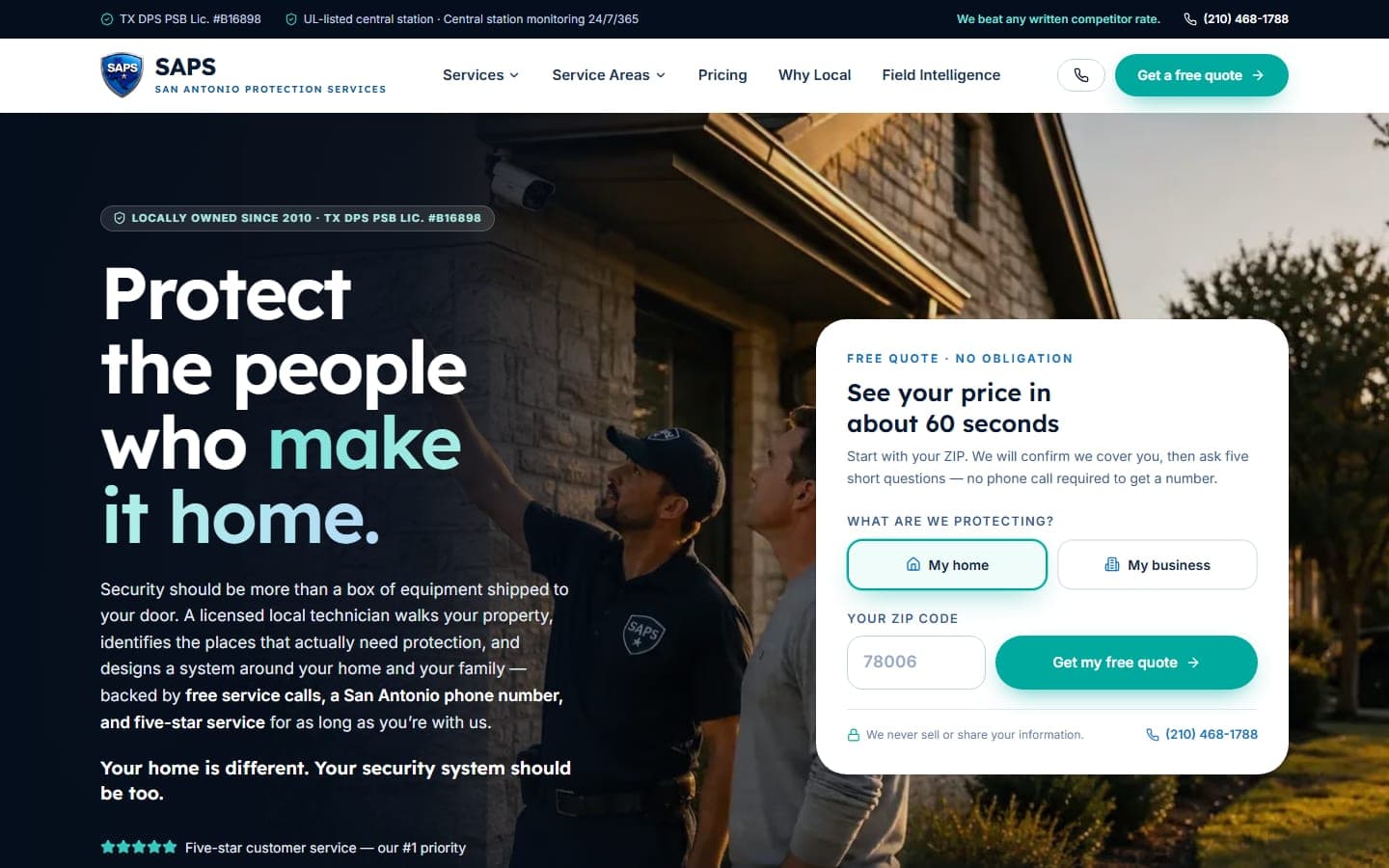
San Antonio Protection Services
San Antonio, TX
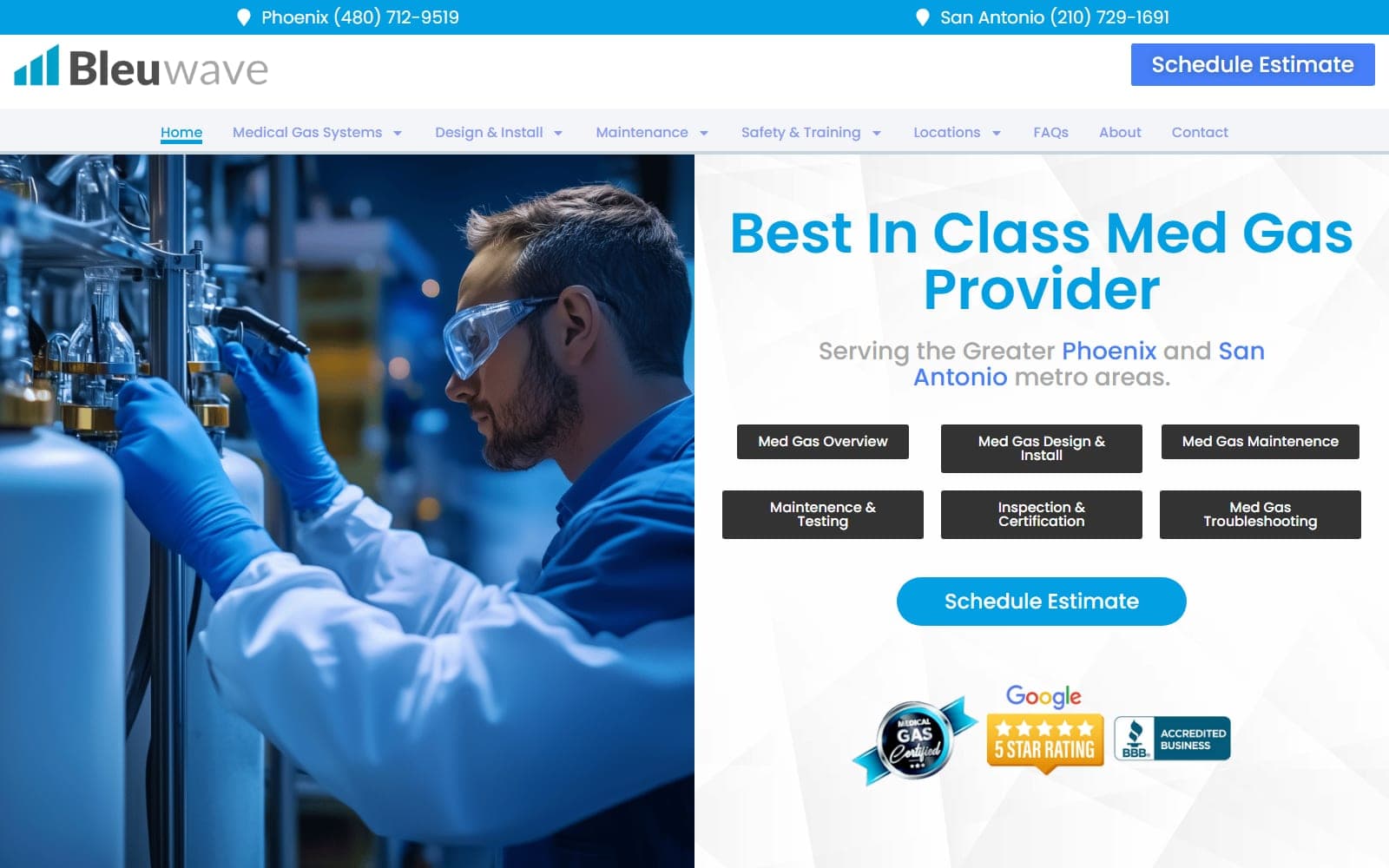
Bleuwave Med Gas
Phoenix, AZ · San Antonio, TX
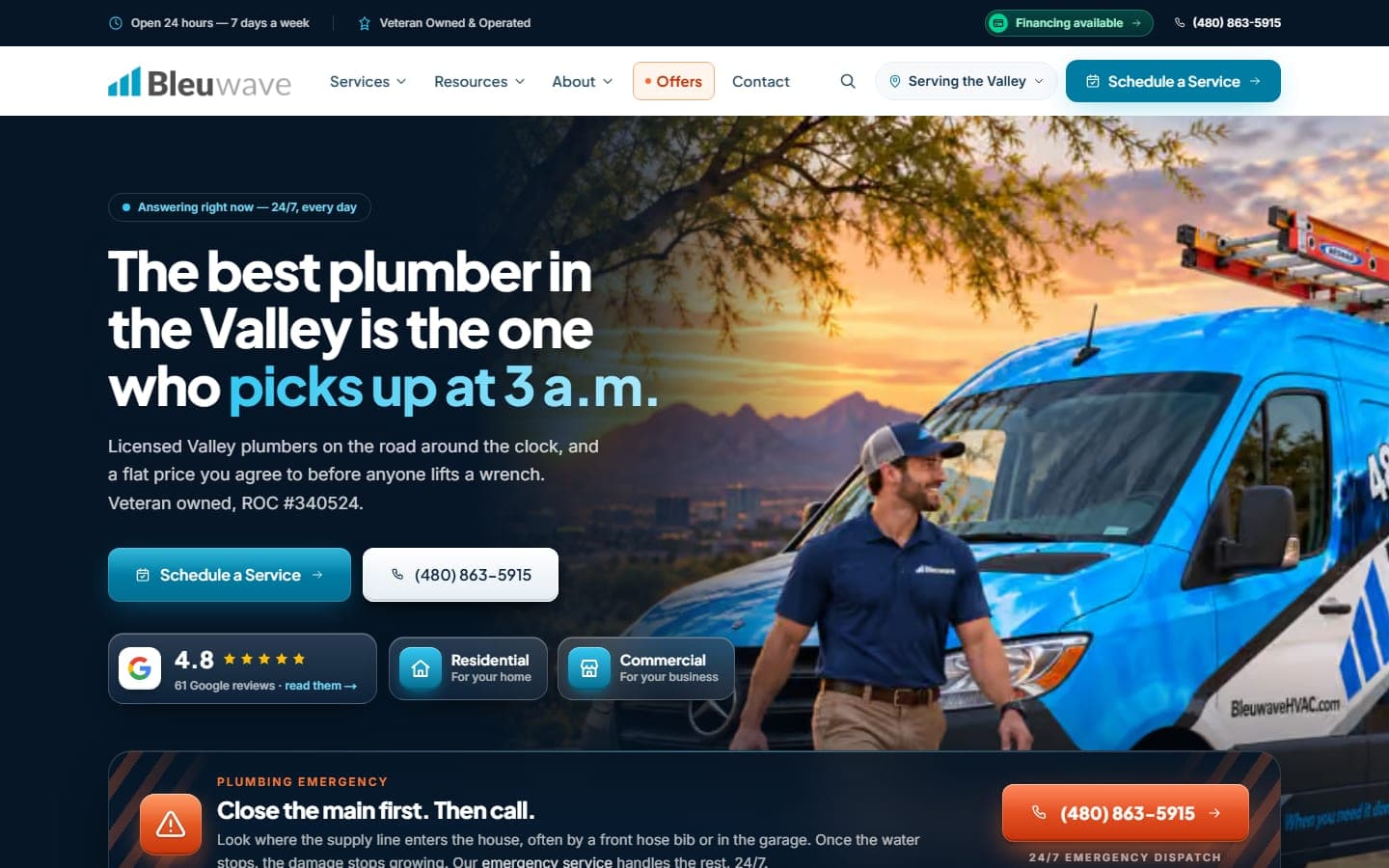
Bleuwave Plumbing — Redesign & Emergency Triage
Phoenix, AZ · Metro
See the full portfolio, including seven complete demo sites. A different three every visit.
What it costs
What it costs, and a monthly number
A custom build is a fixed price, quoted after we have looked at the site you have now, most often between $6,000 and $20,000. The same range covers a custom WordPress theme and a Next.js build with a custom CMS. The number moves with how many pages and posts have to come across, what the editor has to manage, and what the site has to do besides load quickly. When a repair is the better answer, it is quoted separately and costs far less.
Every Spring Branch build comes with the Speed Swap above. Any project qualifies for 0% financing with 25% down: a $9,000 build, for instance, is $2,250 down and about $563 a month for 12 months, with the site hosted on our platform while the plan runs.
A worked example at 0%
$9,000
- 25% down at signing
- $2,250
- Or 12 monthly payments of
- $563
- Interest
- $0
Financed projects are hosted on the DataCram platform for the length of the plan. Try your own number.
What happens after you claim it
Claim the offer
Two minutes on the form, or a call. Tell us the business, the town and what you have now.
A person looks first
We check your current site, your Google profile and what a customer in your town sees when they search. Then you get a fixed number.
The work, with dates
A site launches in four to eight weeks; local marketing and SEO start in week one and report monthly.
The offer kicks in at launch
The included extras go live with the work. From then on one report shows the calls and forms it produced.
Claim the Spring Branch Speed Swap
Send us the address of your WordPress site. A developer replies with a recommendation, a fixed price and the speed test on the way.
Which of these sounds like you? (pick any)
Questions, answered
Before you ask
Yes, and it is one of the most common calls we get. We need the hosting, domain registrar and WordPress admin logins. If nobody can find them, the host and the registrar can usually restore access once you prove the business owns the account. Then we audit what is there and tell you whether it is worth keeping.
They do not complain; they tap back and call the next result. Google has published research for years showing that the odds of a mobile visitor leaving climb as load time grows. The speed test in the Speed Swap shows the gap on your own site, which is more persuasive than any study.
Small sites are the easiest case. A ten- or twenty-page service site moves quickly, and the savings on plugin renewals, builder licenses and emergency fixes count for more on a small budget than a large one. If the site is a heavy blog that a team updates daily, staying on WordPress may be the better call, and we will tell you so.
Not if the move is done properly. Every URL keeps its address or is 301-redirected, titles, meta descriptions and structured data come along, and we measure rankings before and after. Any relaunch can wobble for a few weeks while search engines recrawl; a faster site with the same content usually settles at least where it was. We show you the numbers either way.
Yes. The site comes with a custom CMS: you log in and change services, prices, hours, posts, team members and locations through plain fields. What you cannot do is accidentally drag a column off the page, which most owners count as a feature. See what a custom CMS is for a closer look.
We do, when WordPress is the right tool: a publisher with a heavy blog schedule, a tight budget, a team that knows the platform, or a plugin the business cannot live without. We build those on a custom theme with a short plugin list. We also repair existing WordPress sites when a fix makes more sense than a rebuild.
No. AI coding agents scaffold pages, move content, write tests and run accessibility and performance checks. A developer plans the site with you and reviews every change before it ships. Your words stay yours. The result is a quicker launch and more custom work for the same budget. How AI agents build websites explains the process.
Mostly, yes. A Next.js site has no plugin and theme updates for you to approve, because the code is maintained in one place by your developer, and hosting runs on a fast network without your involvement. You will still hear from us when something matters, in plain English, but not every week about version numbers.
For you, the CMS matters less than speed and reliability. If you change a price or a photo twice a year, the editor just has to be obvious when you finally open it. The bigger win is a site that keeps loading fast and stays secure while you ignore it. If your WordPress site works and you are happy, we will tell you so.
Start now. Pay monthly. Add nothing for interest.
Put 25% down at signing and spread the rest in equal monthly payments. The total you pay is the price on the proposal.
- Up to 12 months on any project
- 24 months from $15,000
- 36 months from $20,000
Financed projects are hosted on the DataCram platform for the length of the plan.