Your Website Is Telling You It's Broken. Here Is the Translation.
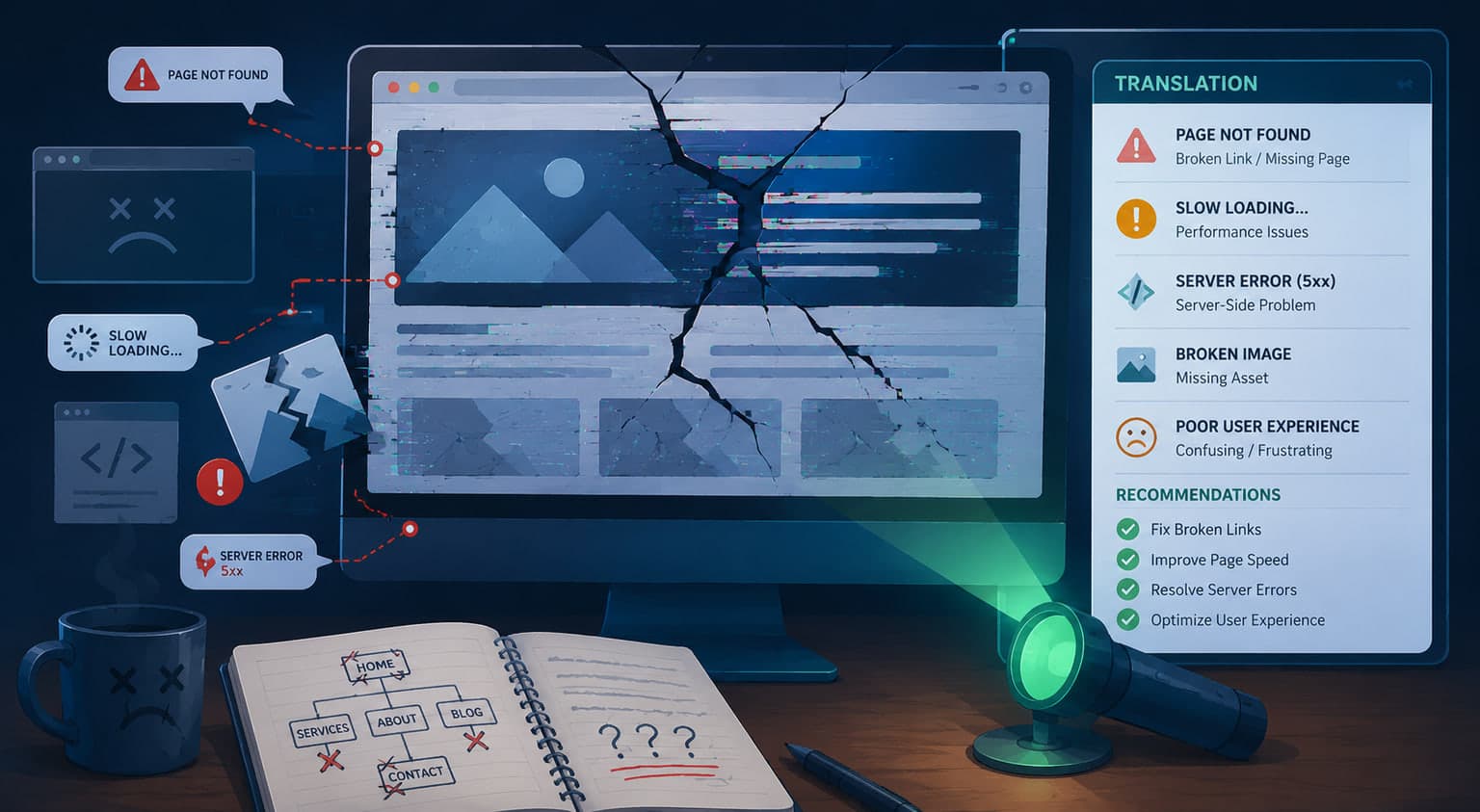
Your website talks. It just does it in a dialect designed by engineers to be understood by other engineers, which is why a business owner reading "502 Bad Gateway" concludes only that something is bad and something is a gateway.
So here is the translation. Not the fix — we have written those out one by one in the Repair Hub — but what the message actually means about your business, and what it tends to cost while you are looking it up.
The server errors: your site is alive but not answering
These arrive in a family, and the numbers matter.
A 500 Internal Server Error means the site tried to do its job and fell over. Something in the code or the database broke and the server has no better explanation.
A 502 Bad Gateway means one server asked another for help and got nonsense back. A 504 Gateway Timeout means it asked and got nothing at all, which usually means something is slow enough to have given up. And a 503 Service Unavailable means the server is up but declining to work — overloaded, or in maintenance it forgot to leave.
Translation: your site is down. Not slow. Down. Every one of these is a closed sign on the front door, and the customer does not read the number. They read "not open" and go next door.
A 403 Forbidden is the odd cousin. The site is fine and has decided you specifically are not welcome — usually a permissions or security rule that got overzealous.
The security warnings: the browser is talking your customer out of it
This family is worse than downtime, because the site works. It just looks dangerous.
When your SSL certificate expires, browsers throw a full-page interstitial that most people will not click through. When a page loads securely but pulls an image or script over an insecure connection, you get a mixed content error, and the padlock disappears. And the plain Not Secure warning in the address bar does quiet, continuous damage.
Translation: Chrome is standing at your door telling customers you might steal from them. Certificates expire on a schedule that nobody has a calendar reminder for, which is why this is one of the most common and most preventable failures we see.
The WordPress family: the plugin stack collecting on its debt
If you run WordPress, you already know these by feel.
The White Screen of Death is a blank page where a website used to be, usually a plugin or theme conflict. The login redirect loop and simply not being able to log in lock you out of your own business. A memory exhausted error means the site outgrew what the host allotted it.
Then the stuck states. Briefly unavailable for scheduled maintenance is an update that died halfway and left the sign on the door. Another update is currently in progress is the same story with a different sentence. Publishing failed or updating failed means the editor cannot save your work. HTTP error when uploading images means it cannot accept a photo. And the site broke after a PHP update means your host moved forward and your plugins did not.
Translation: none of these are freak events. They are the interest payment on a stack of fifteen plugins from twelve authors, updating on their own schedules, in an arrangement nobody designed. The database connection error belongs here too, and it is the one that most often means the site is not coming back without help.
The page-builder family: the tool that was supposed to prevent this
Page builders are sold as the answer to everything above. No code, no conflicts, nothing to break. They have their own failure list, and it is not short.
On WordPress, the builder itself stops loading: Elementor not loading or not saving, Divi Builder not loading, WPBakery not working. Each one locks you out of editing your own pages while the site stays up, which is its own particular frustration. A theme that broke after an update and CSS changes that will not show are the same story from another angle: you changed something, the site disagrees, and there is no error message to look up.
The hosted platforms have their own version. Squarespace forms not sending is the silent one — the form submits, the visitor believes they contacted you, and nobody is notified. Squarespace loading slowly is a payload you have no way to trim. Shopify customer login not working locks buyers out of their own accounts. And Shopify or Wix not appearing in Google is the expensive one, because the platform decided how your pages get rendered and indexed and you were not consulted.
Translation: the builder did not remove the failure modes. It swapped yours for its own, and took away your ability to fix them.
The search failures: invisible, with no error message at all
This family is the most expensive, because nothing appears broken. The site loads. The phone just stops.
Robots.txt blocking Google is a single line of text that tells search engines to go away, and it gets left behind after launches more often than anyone admits. XML sitemap errors and Google crawl errors mean the map you handed the search engine is wrong. A new site not showing up in Google has usually never been indexed at all. And being de-indexed means you were in and got removed, which is a different and more urgent problem.
Translation: you are paying rent on a store with no address. There is no error page for this, no alert, no red banner. Just a quiet month, then a quieter one.
The store failures: the register is broken and nobody told you
For anyone selling online, this is the family that costs real money per hour.
Checkout not working is the obvious one. Order emails not sending is the cruel one — orders come in, nobody is notified, and fulfillment stops while sales look fine. Subscriptions not renewing quietly cancels your recurring revenue. Variations not showing means customers cannot pick the size they wanted. And HPOS sync problems mean your order data disagrees with itself.
Translation: every one of these is money on the floor, and most are discovered days late by accident.
The hosting and domain family: nothing to do with your code
These have no relationship to how the site was built, and they take it down just as completely.
A domain that expired is the purest version — a renewal notice went to an inbox nobody checks, and the whole business went dark on a Tuesday. DNS not resolving after a domain or host change is the migration that looked finished on Friday. A site suspended by the host may be a bill, a resource limit, or a security flag, and you will not know which until you ask. A slow site on shared hosting is the one nobody calls a failure at all — you are simply paying for a neighbor's traffic. And email stopping after a website move is the classic: the site moved, the mail records went with it, and nobody noticed until a customer mentioned they never heard back.
Translation: the least technical failures on this page, and among the most total. Nearly every one is prevented by a calendar reminder and somebody whose job it is to keep it.
What the list actually tells you
Read those forty-five failures together and a pattern shows up that no individual fix explains.
Almost none of them are your fault. They are the predictable output of an architecture assembled from parts that were never built to work together — a theme from one author, plugins from a dozen more, a host with its own upgrade schedule, and a content system welded to the front end so that when one falls over, the whole storefront goes with it.
That is the real argument for a custom build. Not that it is prettier. That entire families of these failures stop existing. There is no plugin conflict when there are no plugins. The content system cannot take down the site because it is not fused to it. Certificates and deploys are handled rather than remembered.
How DataCram helps
If something on this page is happening to you right now, start with the symptom. Every failure above links to a plain-English page explaining what it is, why it happens, and what fixes it. That is the whole point of the Repair Hub.
If you would rather someone else handled it, that is what we do — emergency repair, WordPress rescue, security cleanup, and search recovery when the rankings went with it.
And if you have read this far nodding, the honest recommendation may be to stop paying the interest. We move businesses off WordPress and onto builds that do not fail this way, for clients in more than forty industries here in San Antonio and across the country.
FAQ
My site is down right now. What do I do first?
Find the exact message and start at its page in the Repair Hub. If it is a server error or a database connection error, call your host before you change anything. If you are losing money by the hour, call us.
Is this only a WordPress problem?
No. Server errors, certificate expiry, and search failures happen on every platform. The plugin-conflict family is specific to WordPress, and it is the largest family on the list.
Will a custom site never break?
Nothing never breaks. But most of the failures above come from having many independent parts that update themselves without coordination. Remove that and you remove the failure mode, not just this week's instance of it.
Can you fix it without rebuilding everything?
Usually, yes, and often that is the right call. We will tell you honestly whether repairing is the better economics or whether you are about to spend rebuild money in installments.
Next steps
A website that talks to you in error codes is not being difficult. It is telling you which part of the machine gave out, and the codes are more honest than most vendors.
Tell DataCram what yours is saying, or take the free audit and we will read the whole thing back to you in plain English — including the failures that never show an error at all.

 What you edit with on Next.js